

Undergraduate Students
Email: undergrad@comminfo.rutgers.edu
Phone: 848-932-7550
Drop in: SC&I building, 4 Huntington Street, Room 214, College Avenue Campus
(Advising appointment scheduler)

Academic Assistance and Support
Get help with course planning and registration, staying on track to your degree, and connecting with the right resources.
Quick Help
Email:
undergrad@comminfo.rutgers.edu
mcm@comminfo.rutgers.edu
mi@comminfo.rutgers.edu
sciphd@comminfo.rutgers.edu
gradadmissions@comminfo.rutgers.edu
Phone: 848-932-7550
Visit: SC&I building, CI-214, College Avenue Campus
Outcomes at a Glance
Of SC&I Graduating Students Report Positive Outcomes
(76% employment, 10% graduate enrollment)
Source: Post-Graduation Survey, 2022.
Of SC&I Graduating Students Report Positive Outcomes
(69% employment, 18% graduate enrollment)
Source: Post-Graduation Survey, 2024
Undergraduate Advising
Add/Drop and Preregistration periods
The LiveChat is available during the following hours of the Add/Drop and Preregistration periods:
Advising outside of the add/drop and preregistration periods
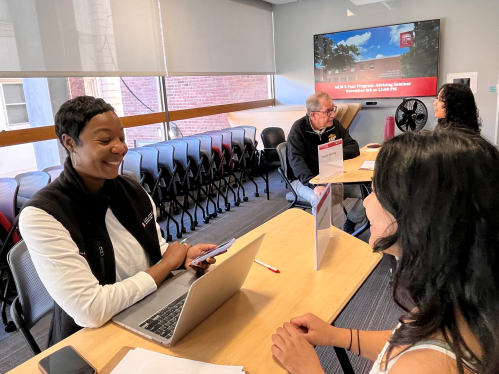
SC&I academic advising will continue to be offered both remotely and in person, allowing our students the greatest extent of flexibility. Students can book an appointment with an undergraduate SC&I advisor, visit the office (CI-214) during our drop-in advising hours, or call or email us.
Students can schedule an academic advising appointment using the SC&I Appointment Scheduler.
Students who schedule academic advising appointments may have the option of an in-person session or a virtual session based on the availability of academic advisors.
In-person drop-in advising in CI-214 is available during the following days/times (after the add/drop and preregistration period):
Email: undergrad@comminfo.rutgers.edu
Phone: 848-932-7550
Please allow up to 24 hours for a response.
Advising Contacts:
Rutgers Business School Advising Center
Mason Gross Advising Center
School of Environmental and Biological Sciences Advising Center
School of Arts and Sciences Advising Center
More support: University Student Success
Follow SC&I Student Services on social media
X: @SCI_Advising
Instagram: ru_sci_advising
Graduate Advising
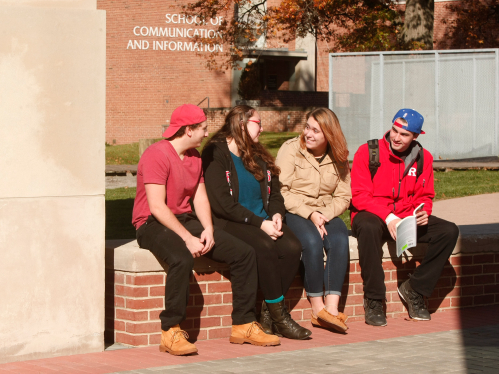
Graduate students in SC&I are encouraged to contact the Office of Student Services for academic assistance and support. Student services staff are available to assist with application and admission, registration and enrollment, and degree monitoring and certification.
Information about the academic programs, policies, and procedures is also available online, in the university catalogs, and in the some departments' program handbooks. Graduate students seeking guidance on career pathways should consult appropriate program faculty.
During the registration period, graduate students may contact Student Services if they encounter any problems with registration or need special permission to enroll in designated courses.
See more information in the Master's Student Guide.
Quick help: 848-932-7550
• MCM: mcm@comminfo.rutgers.edu
• MI: mi@comminfo.rutgers.edu
• Ph.D.: sciphd@comminfo.rutgers.edu
Resources:
Master’s Student Guide
Ph.D. Program Handbook and Key Forms

Enrollment and Registration
Use the University Schedule of Classes:
Tip: Use the University Schedule of Classes to find available courses and to build, compare, review, and register schedules.
Student Unofficial Transcript and Grades System
Currently enrolled students can use the Student Unofficial Transcript and Grades System to view class schedules, semester grades, full transcripts, and transfer course credits.
Transcript data is unavailable during updates on Fridays from 6–8 p.m.
Official Transcript and Enrollment Verification
Request an official transcript via the Transcript/Enrollment Certification & Term Grade Report system. For student enrollment verification, use the Get Verification Form section in the same system.
Services include:
As a Rutgers student, you have access to programs all over the world, where you’ll be able to attend classes and earn credits while gaining first-hand knowledge of another language and culture.
For additional information, students are encouraged to reach out to the Rutgers Global–Study Abroad. When you choose an approved program, the Center will:

Applying for a Diploma
Degree candidates must file an Online Diploma Application. Pending applications are forwarded to Student Services for certification. Learn more about SC&I's graduation on our site.
Undergraduate students (New Brunswick): You must apply for graduation by the deadlines listed on the Undergraduate Diploma Application website. Because SC&I is not a four-year school, follow the deadline of your admitting school.
Graduate students should email Student Services to cancel the original, then submit a new application. See the Office of the Registrar, Graduation and Diploma Information for details.
Start with your instructor. If unresolved, write to the department chair/program director. The appeal must be in writing (email is fine). Final review (process only) may be appealed to the Associate Dean Susan Keith.
Undergraduate classes
Graduate students
Academic integrity is the foundation of learning at Rutgers: cite sources, do your own work, report data honestly, treat others ethically, and follow your field’s standards.
Learn more: Academic Integrity | University Code of Student Conduct
Have Questions?
We're here to help.
Undergraduate Students
Email: undergrad@comminfo.rutgers.edu
Phone: 848-932-7550
Drop in: SC&I building, 4 Huntington Street, Room 214, College Avenue Campus
(Advising appointment scheduler)
Graduate Students
Email:
Ph.D.: sciphd@comminfo.rutgers.edu
Phone: 848-932-7550
Drop in: SC&I building, 4 Huntington Street, Room 214, College Avenue Campus